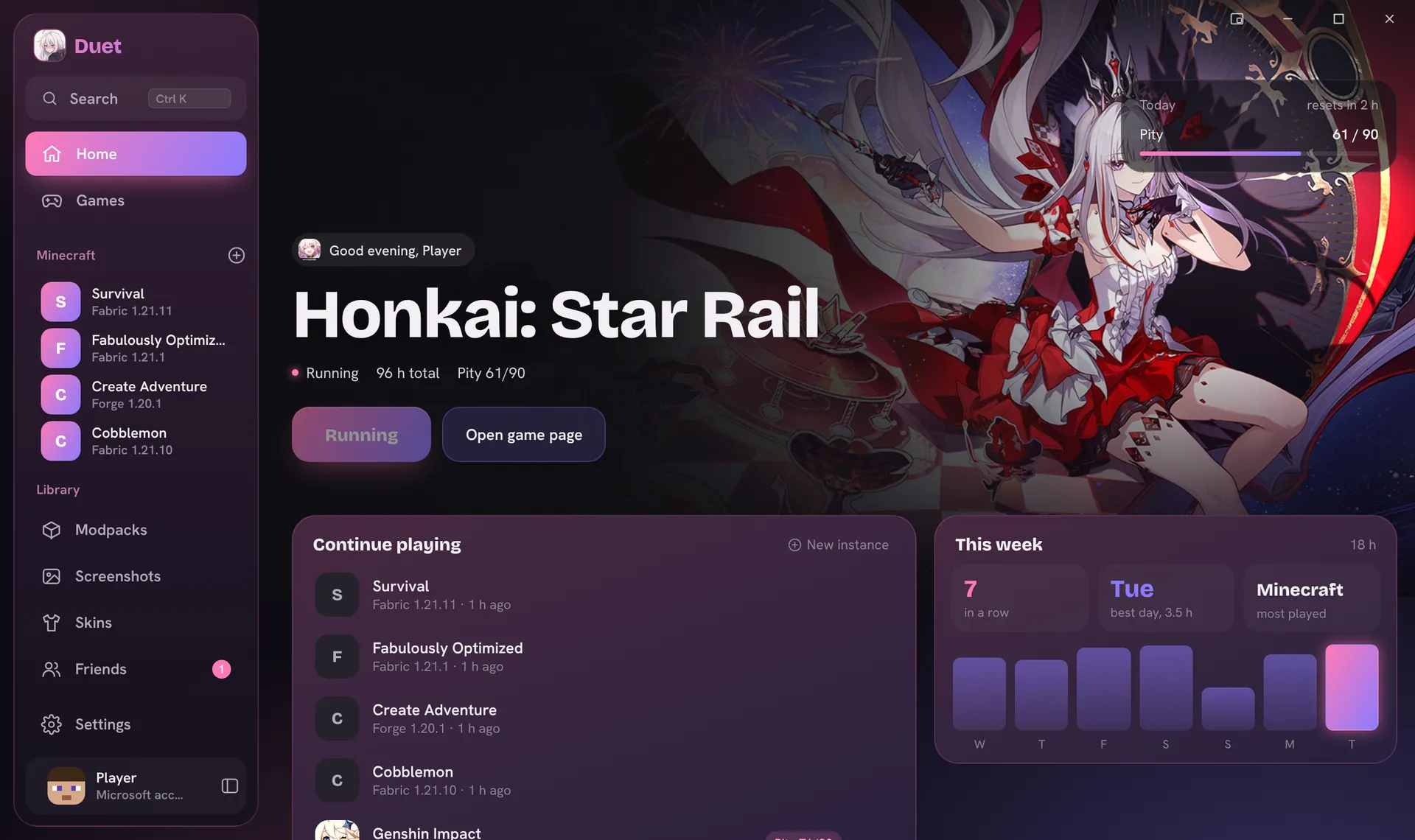
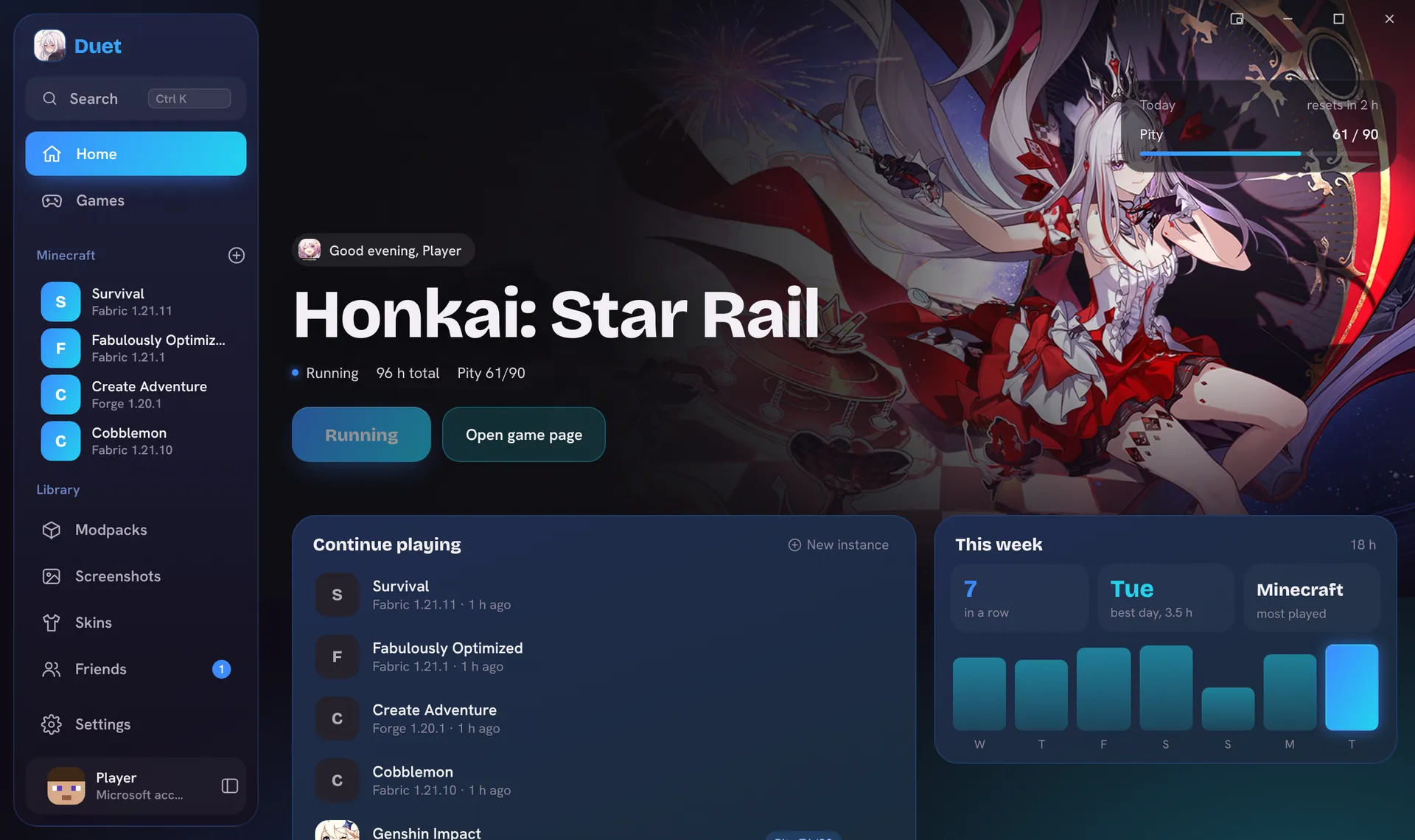
Minecraft with modpacks and more FPS, plus Genshin, Star Rail, ZZZ, Wuthering Waves, Steam and Epic games. All in one place that looks the way you want.
Every theme is a pair of colours that flows through the whole app: buttons, bars, glows and the sidebar. Pick one and watch this page change with it.
Duet · pink and violet
13 themes in the app. Plus your own art as the background.
All your games
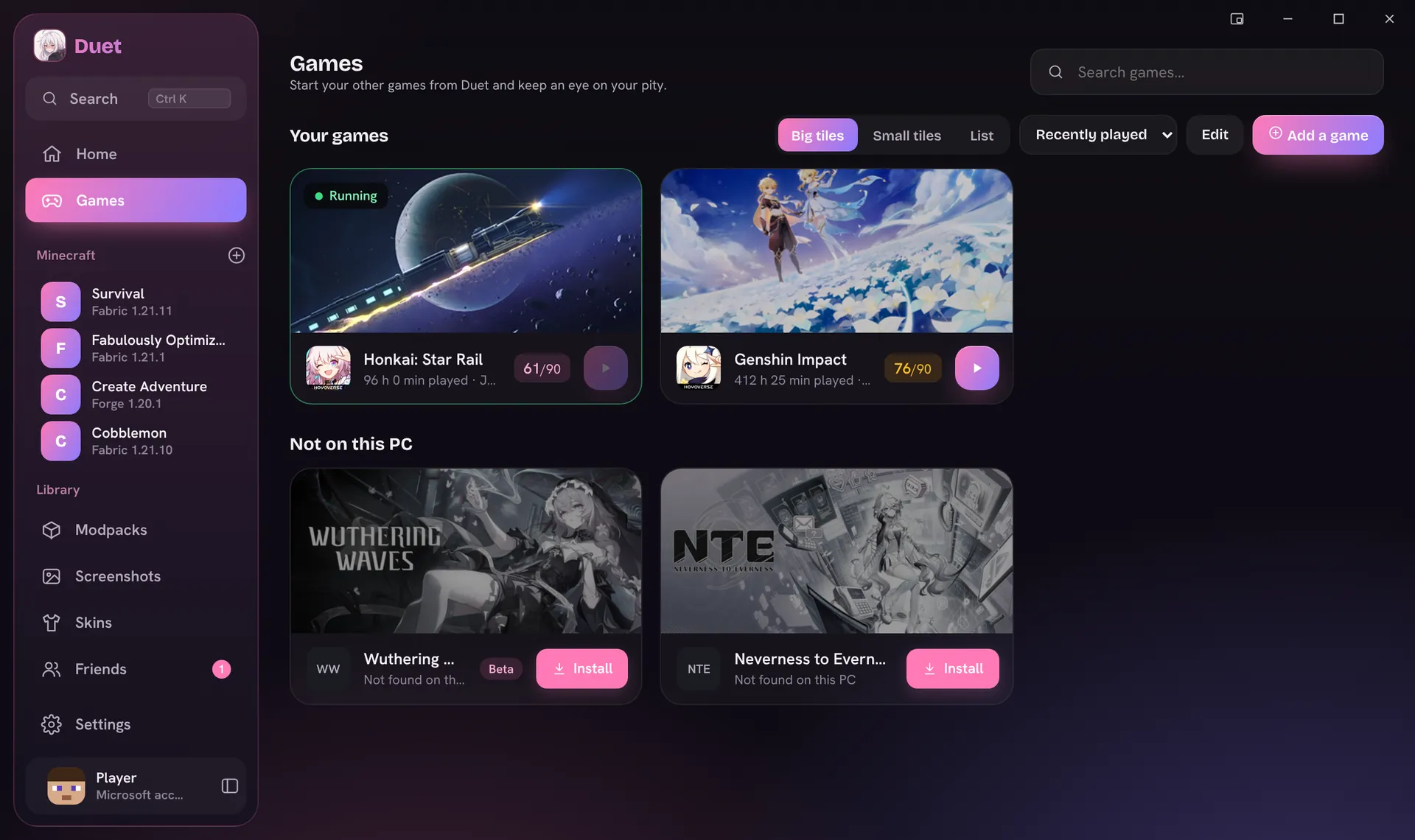
Not just Minecraft. Everything you play.
Duet finds your Steam and Epic games, knows your gacha pity and keeps your dailies in check, without ever touching game files.
Your games, your way
Big tiles, small tiles or a list. Sort, search, pin your favourites, hide the rest or drag them into your own order.
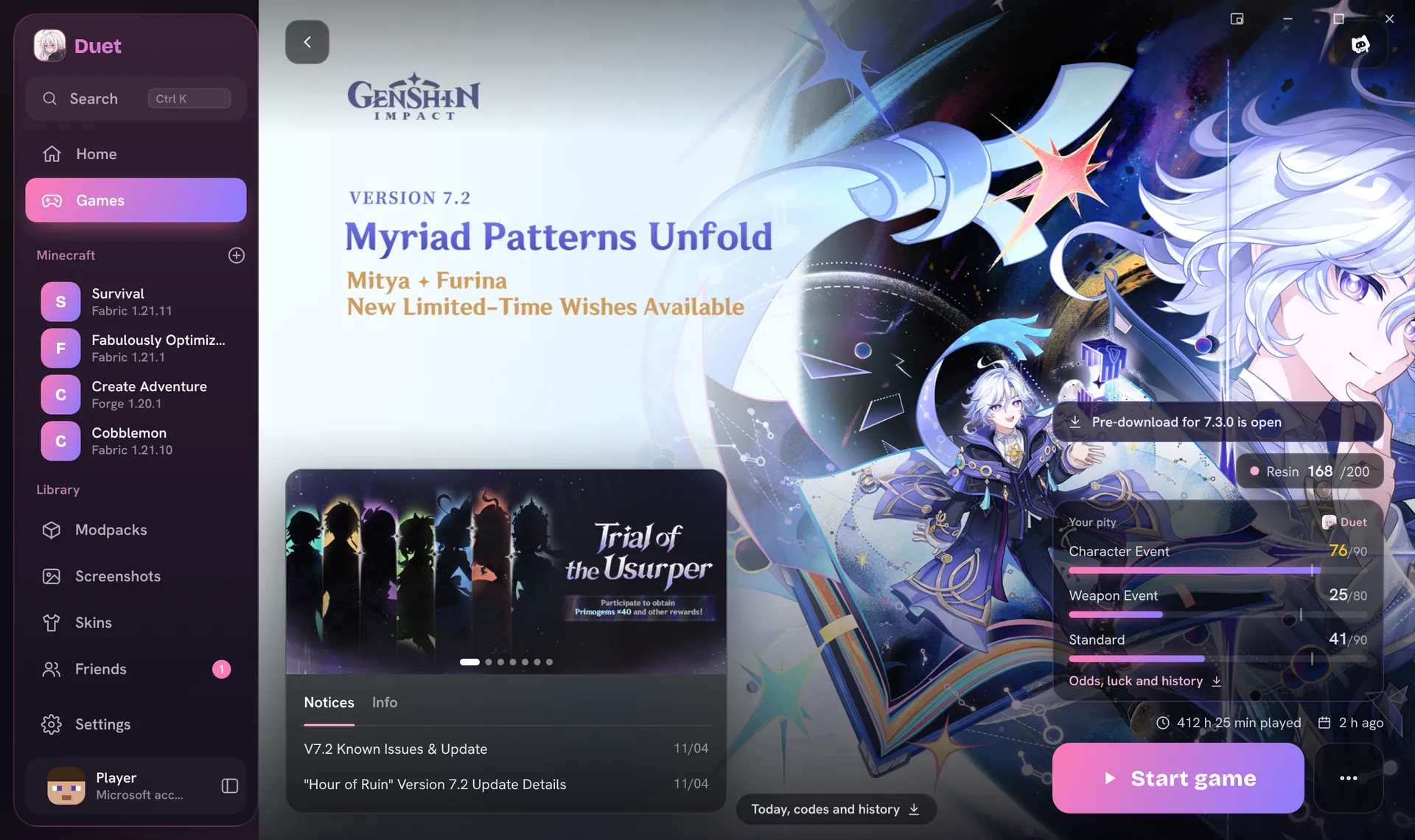
Pity, always in view
See your pity for every banner, how close soft pity is, and your 50/50 status. Pulled straight from the game's own history link.
Character event76/90
Weapon event25/80
Standard41/90
Soft pity reached · next 5★ is guaranteed
Genshin ImpactHonkai: Star RailZenless Zone ZeroWuthering Waves
A real game page for each game
The official art and news, your pity, Resin or Trailblaze Power with a full-at timer, daily check-in and redeem codes. Then one big Start button.
BannersCodesCheck-inReset timers
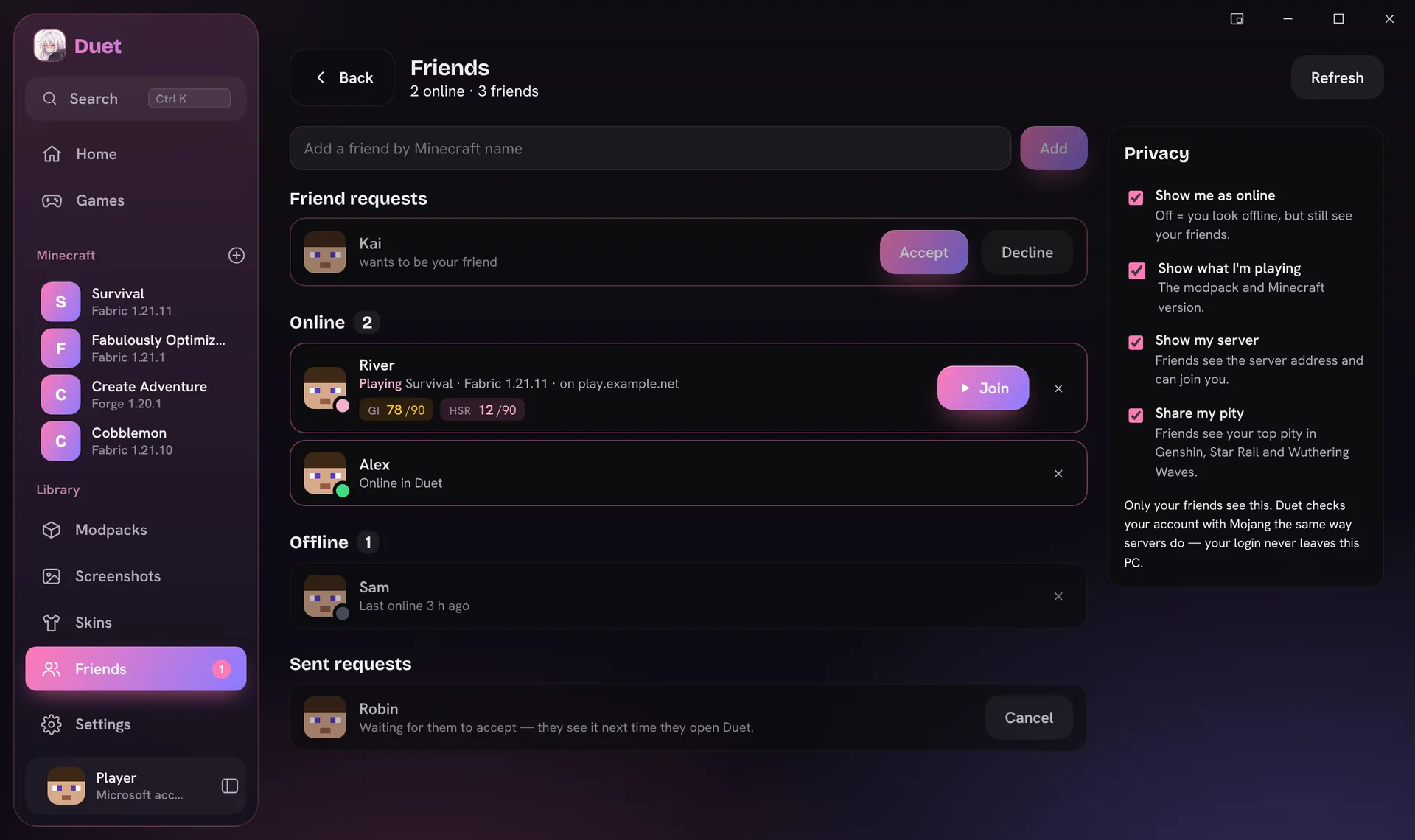
Play with friends
See what your friends play, join their server in one click, and share your pity if you want to. You decide what they see.
Steam and Epic too
Duet finds the games you already have and starts them for you, with their cover art and playtime, next to everything else.
Minecraft, done right
Mods that just work. And more FPS.
Fabric, Forge, NeoForge and Quilt. Modrinth and CurseForge built in. Duet checks everything before you press Play.
01
Every mod, one click away
Browse Modrinth and CurseForge right inside Duet. Install mods, resource packs, shaders and whole modpacks, then update them all at once.
Lock versions you want to keep
Save mod sets and swap between them
Copy mods to your other instances
02
A crash check before Play
Duet reads every mod and tells you what would crash before the game even starts: the wrong loader, the wrong version, a missing mod.
Fix it swaps in the right version from Modrinth
Installs missing mods for you
Old files are kept, never deleted
03
More FPS, out of the box
Performance mods are added for you and tuned for your PC, with far view through Voxy or Distant Horizons when you want to see for miles.
Smart RAM and Java settings
One-click fix when Sodium and Voxy disagree
Your own mods always win
04
Worlds and servers, safe
Back up a world in one click or automatically, restore it any time, and see who is online on your servers before you join.
Automatic backups
Live server ping and player count
Bring everything over from other launchers
0languages
0games with their own page
0mod loaders
€0free forever
FAQ
Questions
Can Duet get my game account banned?
Duet never changes game files or game memory. It starts the game the same way HoYoPlay or Steam does, reads your pull history through the same official link the game opens, and talks to HoYoLAB like its website does. That's the same way other popular pity trackers work.
Is signing in to HoYoLAB safe?
You sign in on HoYoLAB's own page inside a Duet window, so Duet never sees your password. Afterwards Duet only uses the sign-in to read your Resin and dailies and to claim the daily check-in. Sign out anytime from the game page.
Which games work?
Minecraft gets the whole launcher. Genshin Impact, Honkai: Star Rail, Zenless Zone Zero, Wuthering Waves, Neverness to Everness and Honkai Impact 3rd get their own game page, with pity and dailies where the game supports it. Steam and Epic games show up in your library, and you can add any other game yourself.
Windows says "Windows protected your PC"
Duet isn't code-signed yet, so SmartScreen warns about new apps. Click More info → Run anyway. Official downloads are only on this site and on GitHub.
Do I need a Minecraft account?
For Minecraft, yes: you sign in with the Microsoft account that owns Minecraft: Java Edition, on Microsoft's own page. Duet never sees your password. Your other games don't need it.
Can I bring my stuff from another launcher?
Yes. Duet copies your instances from the Modrinth App, Dawn (Feather), Prism, MultiMC, CurseForge, ATLauncher, GDLauncher or the official launcher: worlds, mods, packs, settings and servers. The other launcher keeps its files.
Who can see what I'm playing?
Only the friends you added, and only what you allow. In Friends → Privacy you can look offline, hide what you're playing, hide your server, or stop sharing your pity.
A video background doesn't play on Linux
Use a .webm video, or install the codecs: sudo apt install gstreamer1.0-libav gstreamer1.0-plugins-good.
Found a bug?
Tell us! In Duet go to Settings → Report a bug (it can add your Duet version and PC details for you), or . Leave a Discord name or email if you'd like an answer.
What does the hardware survey send?
Now and then Duet may ask if you want to share anonymous info about your PC, so we know which hardware to make Duet faster on. It only sends if you say yes, and it shows you everything first: graphics card, processor, memory, operating system, screen size, Java and Duet versions, language, and which Minecraft versions and mod loaders you use. No name, no account, no IP address. You can turn the question off in Settings. The totals are public on the survey page.
Ready to play?
Free, no ads, no account needed for your other games. Duet updates itself.